// SECURITY COMPLIANCE
PCI COMPLIANCE
REMEDIATION MANAGER
The authoritative system for tracking, managing, and remediating PCI DSS vulnerability findings. Import daily Nessus scan files, fingerprint every finding, track remediation progress across your entire environment, and generate executive-ready compliance reports.
PCRM uses a strict two-layer model: every raw scan row is stored exactly as imported and never altered, while a deduplicated analytical layer drives all dashboards, assignments, and reports.
// HOW IT WORKS — WALKTHROUGH
Daily PCI Scan Pipeline
From a raw Nessus export to assigned, tracked remediation: PCRM keeps every imported row untouched as the source of truth, fingerprints findings into a deduplicated analytical layer, and drives dashboards, assignments, and executive reports from there.
01
Upload Scan File
Import Nessus CSV, TSV, XLSX, or TXT. Every row stored exactly as imported; duplicate files are caught via SHA-256.
02
Store & Fingerprint
Raw rows kept as source of truth; a deduped clean layer fingerprints each finding by Hostname + Plugin ID + Port.
03
Delta Analysis
Automatically identifies New, Resolved, and Reopened findings vs the previous scan batch.
04
Track & Assign
Assign findings to teams, set due dates, track status through the full remediation lifecycle.
05
Report & Notify
Generate executive summaries, aging reports, and remediation emails. Weekly digest via cron (Monday mornings).
// FEATURES
Full Remediation Lifecycle
📊
Executive Dashboard
Compliance score, risk breakdown, monthly trend charts, aging analysis, and per-environment open counts.
🔍
Finding Tracker
Filter by environment, risk, status, team, or host. Full audit trail, evidence attachments, and risk exceptions on every finding.
🗃️
Raw Source of Truth
Every row of every scan is stored exactly as imported — informational rows and duplicates included. The source is never altered.
🖥
Per-Server Summary
Sortable host grid with Critical/High/Medium/Low breakdown. Environment auto-detected from the FQDN. LAN/AD enrichment cards.
📈
Live Import Progress
Real-time progress bar with record counts, phase labels, stall detection, and a SHA-256 duplicate-file guard.
👥
Bulk Assignment
Assign hundreds of findings at once by environment, severity, or server. Preview count before applying.
📄
6 Report Types
Environment Summary, Executive, Technical, Aging, Audit Trail, and Scan Comparison reports. Executive and Technical link out to a CSV export of the findings list.
✉️
Email Composer
Generate professional remediation emails by environment, team, or severity. Saved to history. AI-assisted ServiceNow ticket generation.
// SCREENSHOTS
Inside PCRM
Live views from the running application — captured at 1280px width.
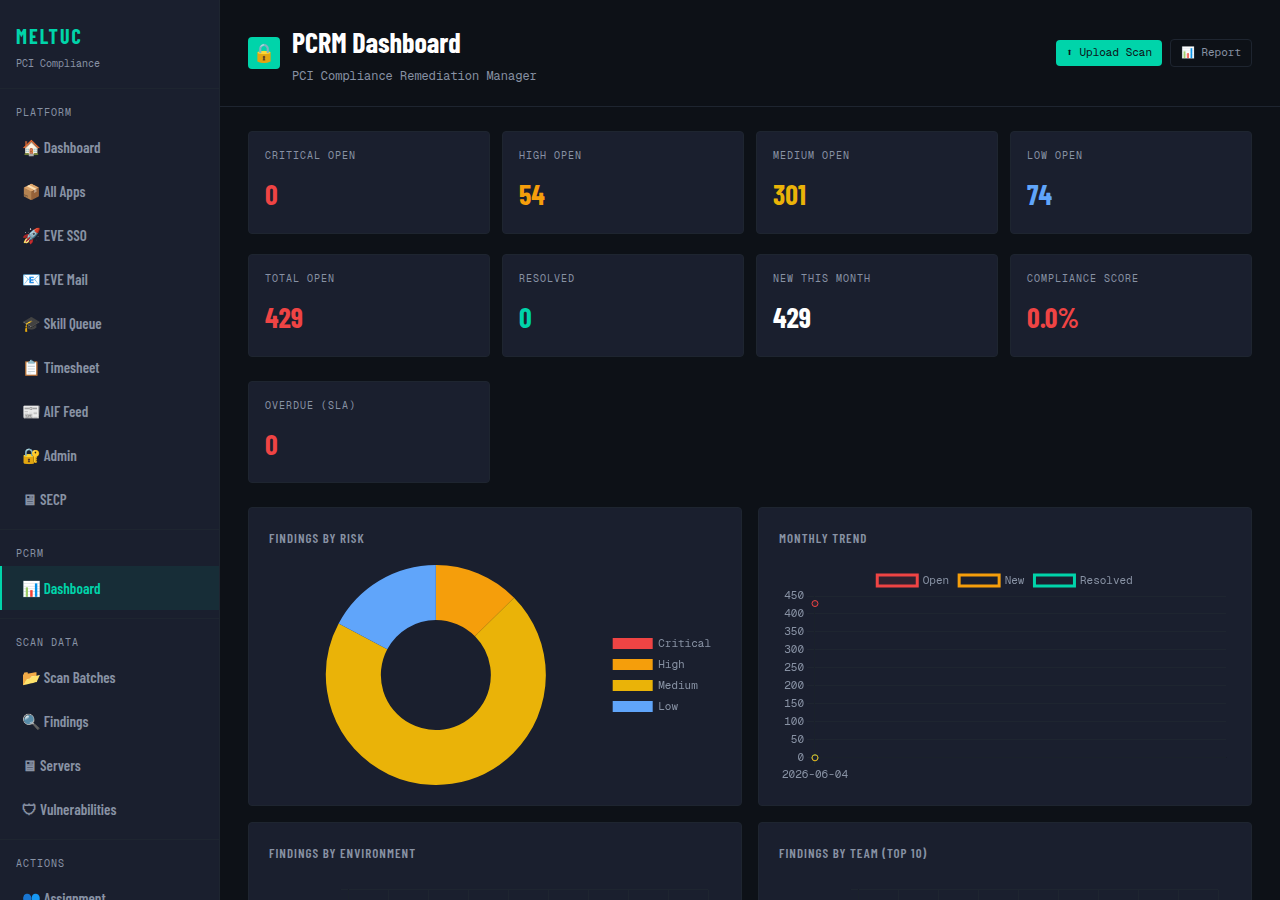
Executive Dashboard
Compliance score, risk breakdown, SLA overdue counts, and monthly remediation trend at a glance.
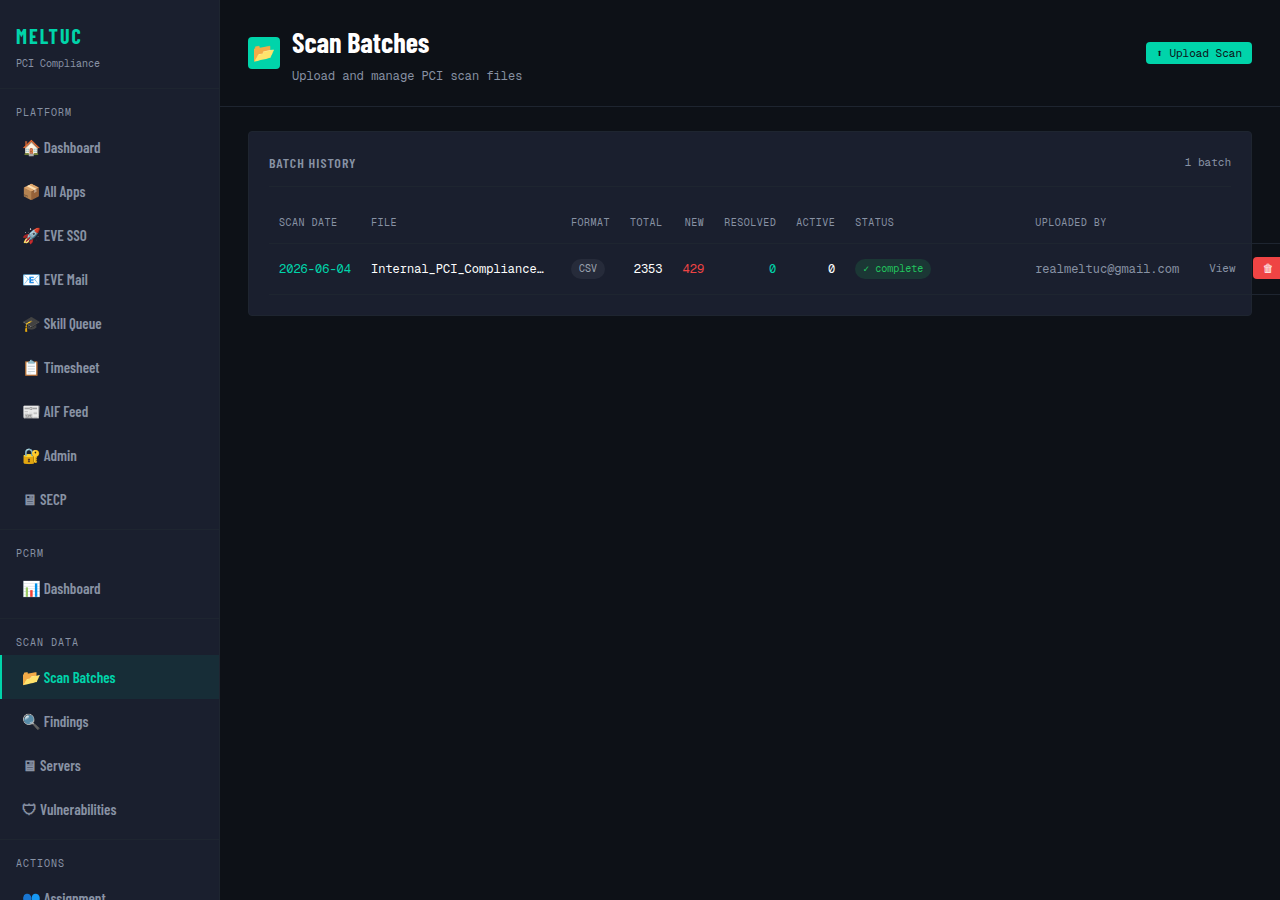
Scan Batches
Every imported Nessus scan with record counts, import status, and delta analysis against the prior batch.
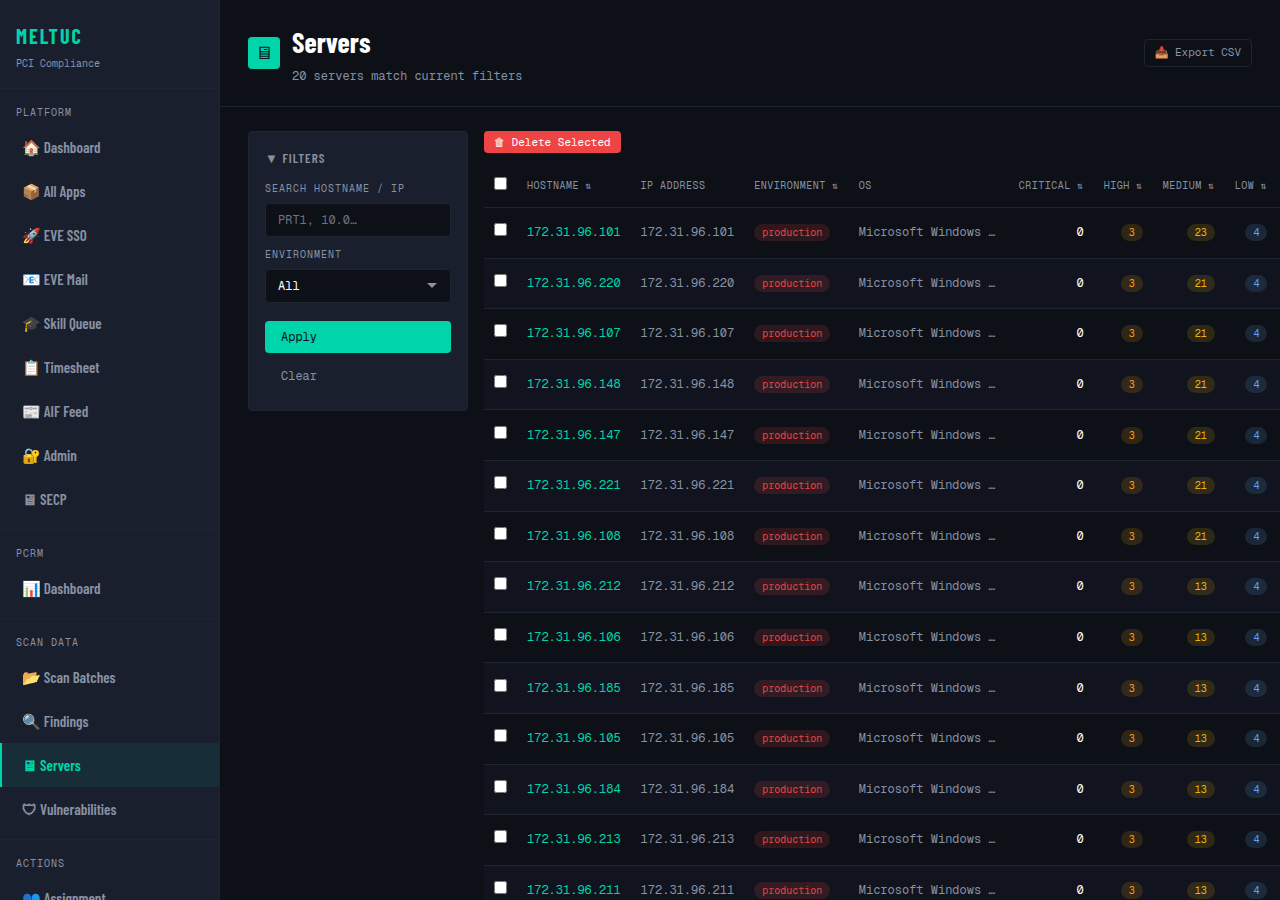
Per-Server Summary
Sortable grid of every host with its Critical/High/Medium/Low breakdown and auto-detected environment.
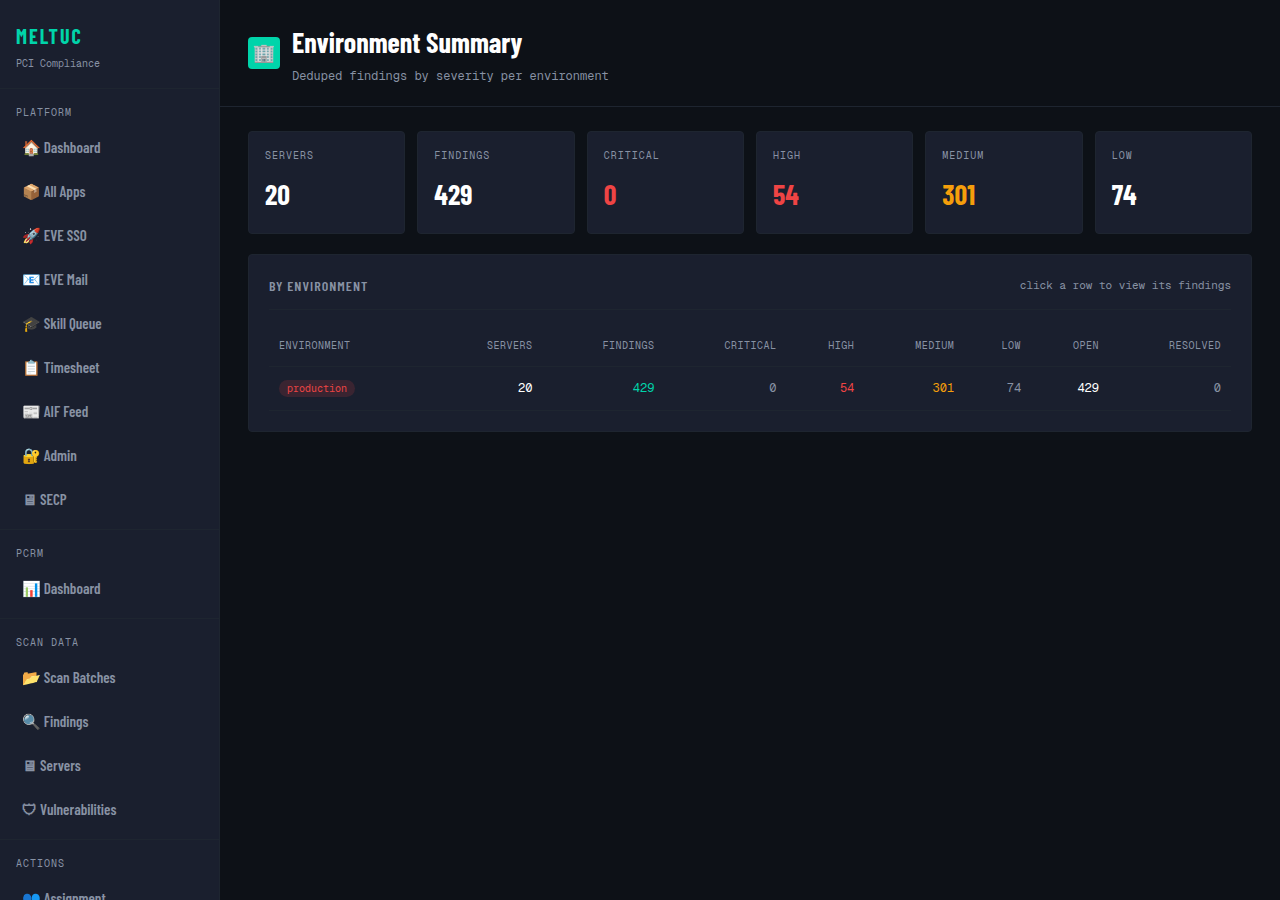
Environment Summary Report
Compliance posture rolled up by environment — production, staging, and more — ready for export.
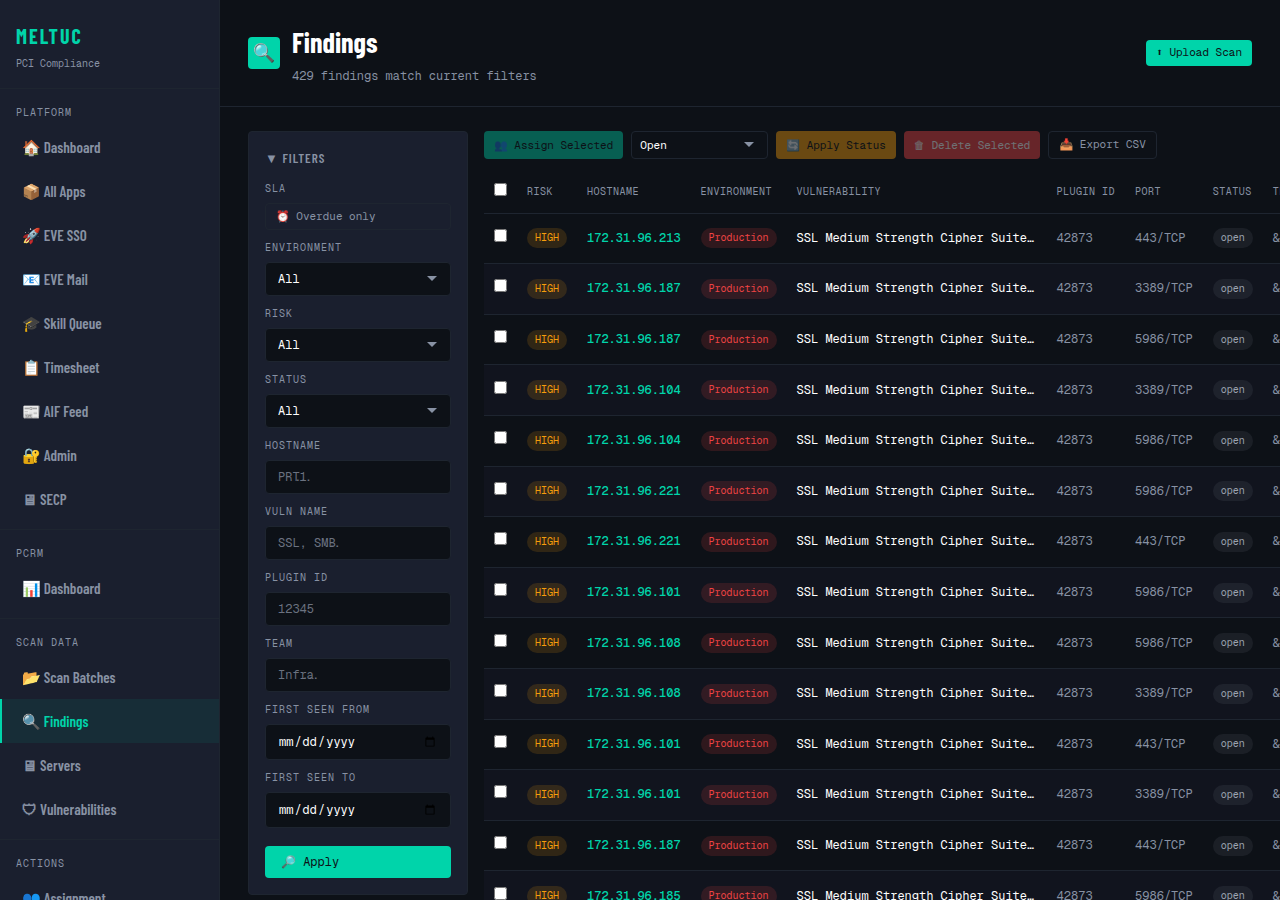
Findings Tracker
Filter findings by environment, risk, status, and team, with a full audit trail on every entry.
// SCAN FILE FORMATS
Import from Nessus
PCRM accepts scan exports from Nessus in CSV, TSV, XLSX, and TXT formats. Format is auto-detected from file extension and content. The original file is always retained for audit purposes.
CSV
TSV
XLSX
TXT
// GET STARTED
Ready to take control
of PCI compliance?
🔒 Launch PCRM